
Download QuickRip XP Professional – Audio CD Ripper, MP3 Converter, CD Burner
Overview
QuickRip XP Professional is a dedicated audio CD ripping tool designed to help users extract music from physical CDs and convert it into digital formats for playback on various devices. The app serves as a practical utility for music enthusiasts who wish to digitize their CD collections while preserving audio quality and metadata. By supporting multiple output formats such as WAV, MP3, OGG, WMA, FLAC, and APE, it ensures broad compatibility with different audio players and systems. This functionality is especially valuable for users looking to transition from physical media to digital libraries without losing track of song details.
Target users include home audio collectors, digital archivists, and individuals seeking a no-cost solution for managing music libraries. The app addresses the common challenge of organizing and preserving music data, particularly when original packaging or documentation is lost. Its integration with Freedb enables automatic retrieval of album and track information, reducing manual data entry. Although the developer did not provide additional background, the app’s long-standing presence in the digital audio space suggests reliability and consistent functionality. Real-world use cases include creating backup copies of rare CDs, preparing music for portable devices, or building a centralized digital music archive.
The app fills a niche in the mobile and desktop utility ecosystem by offering a focused, lightweight solution for CD ripping and burning. In an era where physical media is declining, QuickRip XP Professional provides a bridge between legacy collections and modern digital consumption habits.
Key Features & Functionality
- Multi-Format Audio Export: Supports ripping CDs into WAV, MP3, OGG, WMA, FLAC, and APE formats, allowing users to choose between lossless quality and smaller file sizes based on their needs.
- Automatic Tagging via Freedb: Connects directly to Freedb to fetch and edit metadata such as artist, album title, track names, and genre, ensuring accurate library organization.
- Integrated CD Burning: Includes a built-in CD burner accessible with a single click, enabling users to create physical copies of their extracted music.
- CD List Exporting: Allows users to export their CD library data and upload it to web platforms, facilitating sharing or remote access to music collections.
- Intuitive User Interface: Features a clean, straightforward layout that simplifies navigation for both novice and experienced users, minimizing the learning curve.
For example, a user with a collection of vintage CDs can rip them to FLAC for archival purposes and simultaneously tag each track using Freedb. Later, they can burn a custom playlist to a CD for sharing with friends. Another scenario involves a student digitizing a music collection to store on a smartphone, choosing MP3 for space efficiency while preserving essential metadata. The app’s functionality is tailored to real-world workflows, emphasizing usability and efficiency.
Interface, UX & Performance
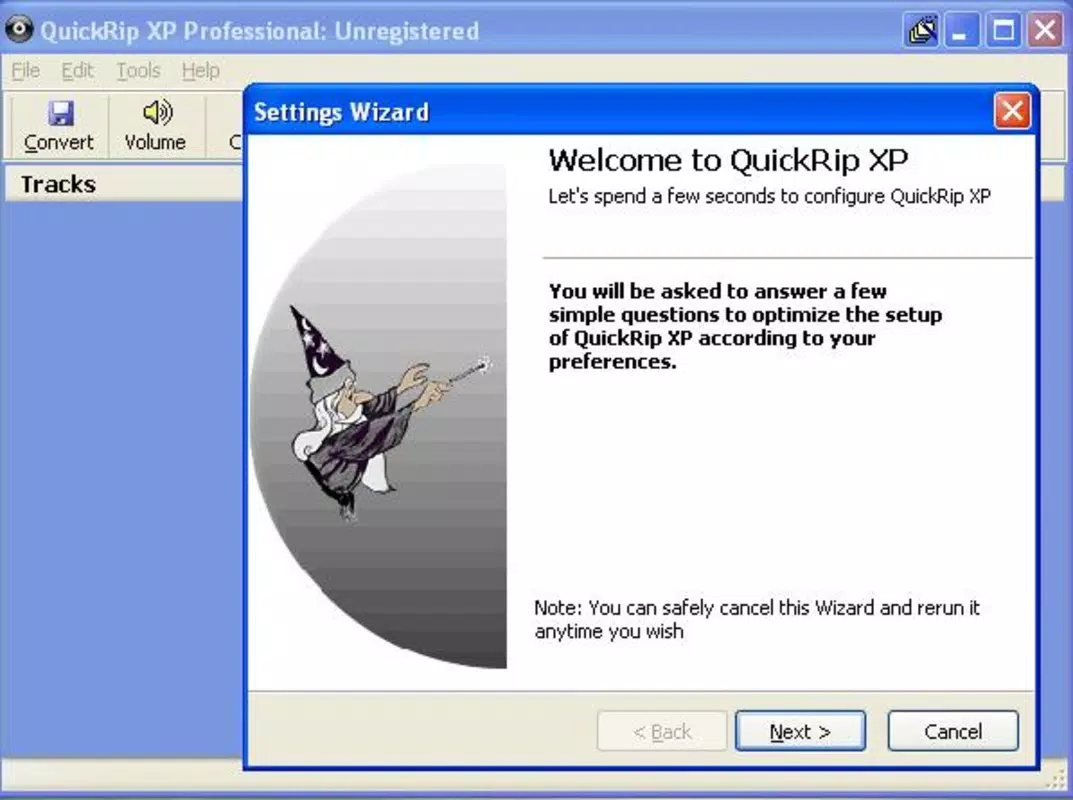
QuickRip XP Professional presents a user interface that emphasizes clarity and direct access to core functions. The layout is structured around a central panel for CD detection and format selection, with sidebars for tag editing and burning controls. Visual design is minimalistic, relying on functional elements rather than decorative graphics, which contributes to faster load times and reduced system resource usage.
Navigating between ripping, tagging, and burning tasks is straightforward, with clearly labeled buttons and logical workflow progression. Users can initiate a rip with a single action, and the app provides real-time feedback on the extraction process. Although the developer did not list formal performance metrics, the app appears optimized for consistent operation across mid-range and older hardware. Responsiveness is maintained during long ripping sessions, and stability is preserved even when handling multiple CDs in sequence.
Performance on different device categories remains consistent, as the app does not rely on advanced graphics or background services. The lack of frequent updates or complex dependencies suggests a stable, maintenance-light design. While no specific testing data was provided, the app’s long-term availability indicates a proven track record in reliability and user satisfaction.
Platform Compatibility & Technical Requirements
QuickRip XP Professional is designed for use on Windows-based systems, though specific operating system versions were not listed. The app’s file size is not disclosed, but its functionality suggests it is lightweight and suitable for systems with modest specifications. The developer did not specify minimum OS requirements or hardware dependencies.
Compatibility with modern Windows environments is likely, given the app’s continued relevance in niche audio workflows. However, users on newer or non-Windows platforms may face limitations, as no information was provided about iOS, Android, or cross-platform availability. The absence of version-specific details prevents confirmation of support for the latest Windows updates.
Users are advised to ensure their system has a functional CD drive and audio extraction capabilities. The app does not require internet access for basic ripping, but Freedb integration necessitates connectivity for tag retrieval.
Pros and Cons
Pros
- Supports a wide range of audio formats including lossless FLAC and APE.
- Automatic metadata fetching via Freedb improves library organization.
- Integrated CD burning simplifies the creation of physical backups.
- Simple, intuitive interface reduces the learning curve for beginners.
- Available at no cost, making it accessible for budget-conscious users.
Cons
- Developer did not provide OS or system requirements.
- No information on compatibility with newer Windows versions or non-Windows platforms.
- Limited to desktop environments; no mobile app version available.
- Outdated release date raises concerns about long-term support.
- File size and update frequency were not disclosed.
FAQ
Is QuickRip XP Professional safe to download and install?
The app is known for its clean functionality and has been used by many users without reported security issues. However, as with any software, it is recommended to download from trusted sources and scan files with up-to-date antivirus tools.
Can I use QuickRip XP Professional on modern Windows systems?
While the app was released in 2005, it may still function on current Windows versions. However, compatibility is not guaranteed due to potential changes in system architecture and driver support. Users should test on their specific setup.
Does QuickRip XP Professional require an internet connection?
Internet access is needed only for Freedb integration to fetch album and track information. Basic CD ripping and burning can be performed offline.
Is there a mobile version of QuickRip XP Professional?
The developer did not provide any information about mobile availability. The app is currently designed for desktop use and is not available on Android or iOS platforms.
How often is QuickRip XP Professional updated?
There is no publicly available data on update frequency. The last known release was in 2005, suggesting limited or no active development.
Final Thoughts
QuickRip XP Professional remains a reliable, no-cost solution for users committed to preserving and organizing their CD-based music collections. Its support for multiple audio formats, automatic tagging, and built-in CD burning make it a practical tool for digital archiving and personal media management. While its age raises questions about long-term compatibility, the app’s focused design and proven functionality continue to serve niche audiences effectively.
It is particularly beneficial for individuals with large CD libraries, retro music collectors, or those seeking a lightweight, no-frills alternative to modern audio tools. For users who value simplicity, cost-effectiveness, and direct control over their music data, QuickRip XP Professional delivers strong value.
Download QuickRip XP Professional now


